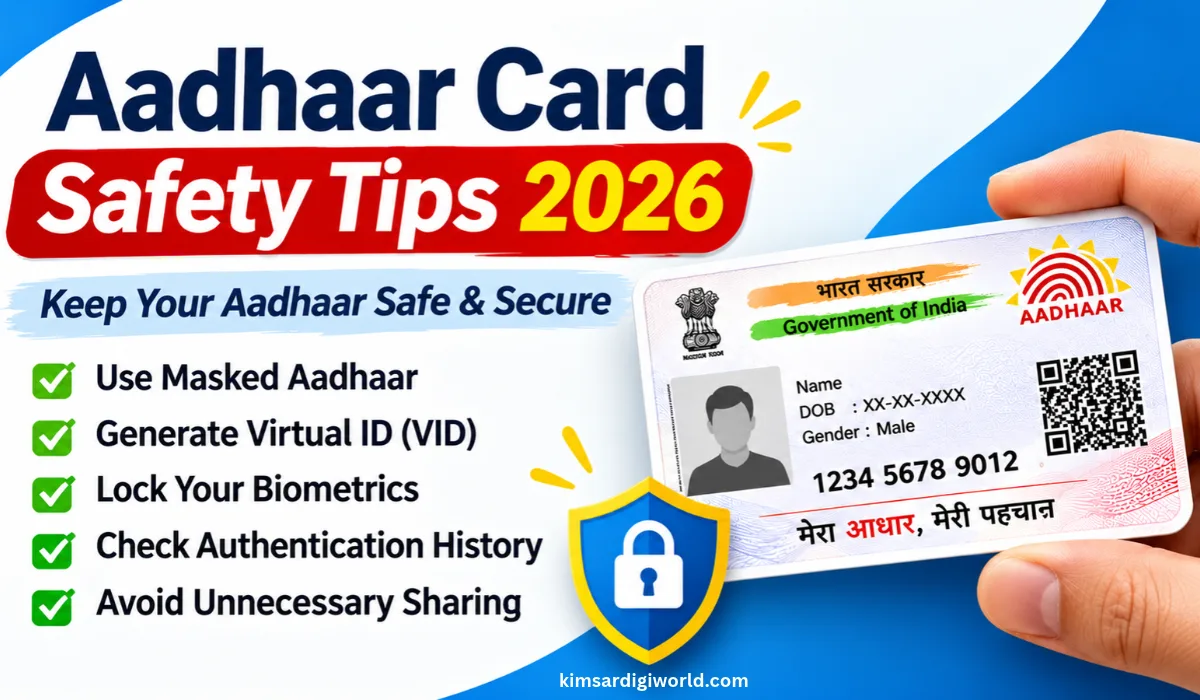
Aadhaar Card Safety Tips 2026: Are you showing your Aadhaar card to anyone asking to be provided with an identity? But beware! Indiscriminate sharing of your Aadhaar details can compromise your personal information.
Several security measures offered by UIDAI such as Masked Aadhaar, Virtual ID (VID), locking of biometrics, and Authentication history, keep your details safe and secure. In this piece, we’ll discuss some basic Aadhaar safety recommendations and how to use these features to avoid misuse.
How to Protect Your Aadhaar Card Details
You can follow a few simple precautions to reduce the risk of unnecessary exposure or misuse of your Aadhaar information.
- Never share your Aadhaar OTP with unknown persons.
- Avoid sharing your full Aadhaar number unnecessarily.
- Use Masked Aadhaar wherever accepted.
- Generate a Virtual ID instead of sharing your Aadhaar number for supported services.
- Lock your Aadhaar biometrics when you don’t need them.
- Check your Aadhaar authentication history regularly.
- Use only official UIDAI websites and applications.
Use Masked Aadhaar Instead of Sharing Your Full Aadhaar Number
If you need to submit your Aadhaar document for verification, consider using Masked Aadhaar wherever accepted.
Masked Aadhaar is an electronic Aadhaar document in which the first eight digits of your Aadhaar number are hidden, while only the last four digits remain visible.
How to Download Masked Aadhaar
- Visit the myAadhaar Portal.
- Select the Download Aadhaar option.
- Enter your Aadhaar number, Enrolment ID or VID.
- Complete the required OTP verification.
- Select the Masked Aadhaar option.
- Download your Aadhaar PDF.
You can use this document where Masked Aadhaar is accepted instead of sharing your complete Aadhaar number.
Generate a Virtual ID (VID)
A Virtual ID (VID) is a temporary, 16-digit number linked to your Aadhaar. You can use it instead of your 12-digit Aadhaar number for supported authentication and e-KYC services.
If you don’t want to disclose your actual Aadhaar number, VID is a useful alternative.
How to Generate Aadhaar VID
- Visit the UIDAI Official Website.
- Open the Virtual ID (VID) generation service.
- Enter your Aadhaar details.
- Complete the required verification.
- Generate your 16-digit VID.
You can also generate or retrieve your VID through UIDAI’s SMS facility using your registered mobile number.
Lock Your Aadhaar Biometrics
UIDAI provides a biometric locking facility that allows you to restrict the use of your fingerprints, iris and face for Aadhaar-based biometric authentication.
If you don’t regularly use biometric authentication, you can keep this feature enabled and unlock your biometrics whenever required.
How to Lock Aadhaar Biometrics
- Visit the myAadhaar Portal.
- Select the Lock/Unlock Biometrics service.
- Enter your Aadhaar details.
- Complete OTP verification.
- Follow the instructions to lock your biometrics.
You can temporarily unlock your biometrics when you need biometric authentication.
Note: Biometric locking blocks biometric authentication. It does not block OTP-based authentication.Check Your Aadhaar Authentication History
Want to know whether your Aadhaar has been used for authentication? You can check your authentication history through UIDAI.
This facility helps you review previous Aadhaar authentication activities, including their date, time, authentication type and response status.
How to Check Aadhaar Authentication History
- Visit the myAadhaar Portal.
- Select Aadhaar Authentication History.
- Enter your Aadhaar number or VID.
- Complete OTP verification.
- Check the available authentication records.
UIDAI provides authentication history for the last six months.
Note: If you notice an unfamiliar transaction, contact the concerned service provider and report the matter to UIDAI.Never Share Your Aadhaar OTP With Anyone
Whenever you use Aadhaar-based OTP authentication, a one-time password is sent to your registered mobile number.
Keep these precautions in mind:
- Never share your OTP with unknown callers.
- Do not disclose OTPs to people claiming to be UIDAI representatives.
- Avoid approving authentication requests you did not initiate.
- Never share your banking PIN or other confidential credentials.
Remember, genuine identity verification does not require you to disclose your OTP to an unknown person over a phone call.
Avoid Sharing Aadhaar Details on Social Media
Avoid uploading your complete Aadhaar card or personal details on social media or other public platforms. If you need to share your Aadhaar online, use Masked Aadhaar wherever accepted.
Never send Aadhaar copies to unknown WhatsApp numbers, email addresses or social media accounts. Always verify who is requesting your details and why they need them before sharing any document.
Use Only Official UIDAI Websites and Applications
Always use official UIDAI platforms for Aadhaar-related services. Before entering your Aadhaar number or OTP, check the website address carefully.
Avoid unknown websites and applications that claim to provide Aadhaar services.
What to Do If You Suspect Aadhaar Misuse?
If you notice an unfamiliar authentication transaction or suspect that someone is misusing your Aadhaar details, take the following steps:
- Check your Aadhaar authentication history.
- Lock your biometrics if you suspect unauthorised biometric use.
- Consider locking your Aadhaar if you want to restrict all Aadhaar-based authentication.
- Contact the concerned authentication service provider.
- Report the issue to UIDAI through its official helpline or email.
| UIDAI Helpline | 1947 |
| Email Support | [email protected] |
| Official Website | Check Here |
| myAadhaar Portal | Check Here |
Important: Aadhaar locking and biometric locking are different facilities. Biometric locking restricts fingerprint, iris and face authentication, whereas Aadhaar locking restricts authentication using Aadhaar, VID and UID Token until the number is unlocked.Important Links
| Download Masked Aadhaar | Check Here |
| Generate Virtual ID | Check Here |
| UIDAI Official Website | Check Here |
FAQs on Aadhaar Card Safety Tips 2026
Can someone misuse my Aadhaar number?
Aadhaar details should be protected from unnecessary exposure. UIDAI provides security facilities such as biometric locking, Aadhaar locking and authentication history to help residents manage their Aadhaar security.
Is Masked Aadhaar safe to share?
Masked Aadhaar hides the first eight digits of your Aadhaar number. You can share it wherever the receiving organisation accepts it.
What is the difference between Aadhaar lock and biometric lock?
Biometric locking restricts fingerprint, iris and face authentication. Aadhaar locking restricts authentication using Aadhaar, VID and UID Token.
Can I use Aadhaar after locking biometrics?
Yes, you can. You can still use supported OTP-based and other non-biometric authentication systems. Biometric-based authentication will be locked until you unlock it.
How can I check whether my Aadhaar has been used?
Once verified, you can view your Aadhaar Authentication History on the myAadhaar webpage or on the Aadhaar app.
What is the UIDAI helpline number?
The official UIDAI toll-free helpline number is 1947.
Can I generate a new Virtual ID?
Yes. Can UIDAI services regenerate the VID? Your new VID will supersede your old active VID.
Disclaimer: Aadhaar security services and their procedures may change. Check the latest instructions on the official UIDAI website before using any service.